
Ecstatica Manual: Official Layout, Controls, and Physical Inserts
The official Ecstatica manual is a fold-out poster document containing lore, installation instructions, and the original numpad-based control scheme. It details character movement, dual-hand actions, and variable movement speeds across the function keys.
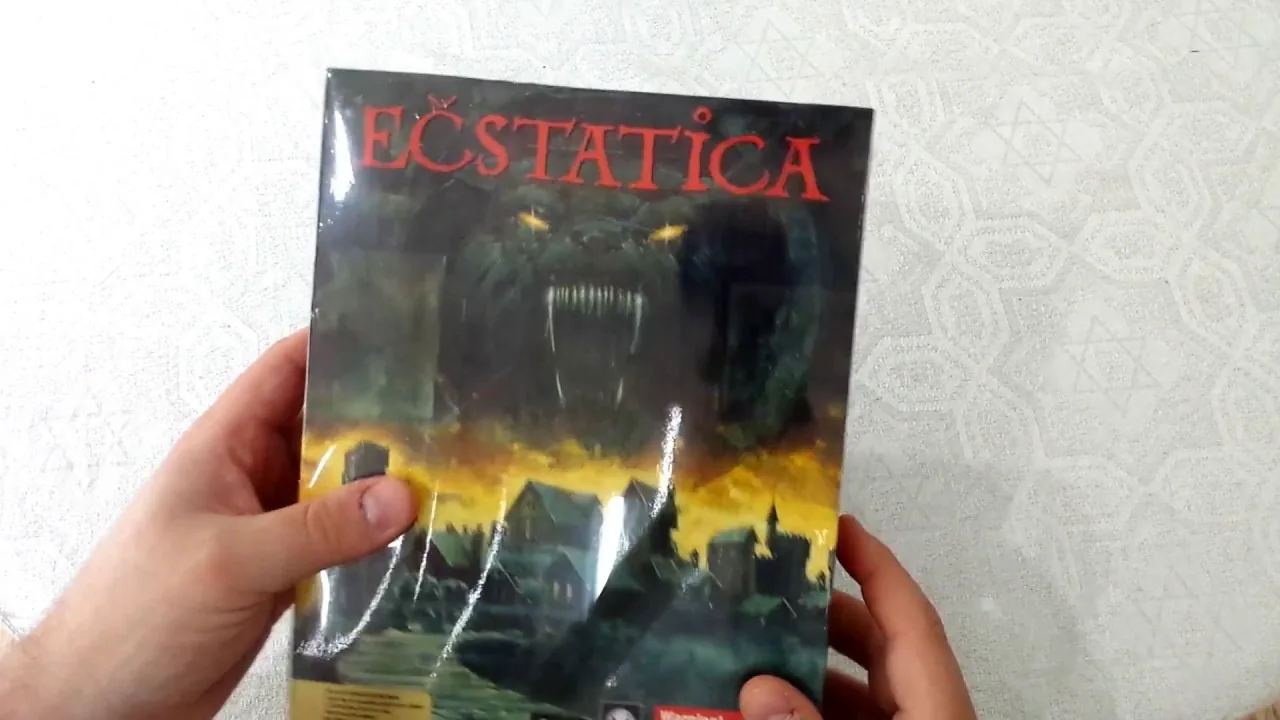
The official Ecstatica manual is a fold-out poster document containing lore, installation instructions, and the original numpad-based control scheme. It details character movement, dual-hand actions, and variable movement speeds across the function keys.
Andrew Spencer Studios chose an unconventional packaging style for the 1994 release through Psygnosis. Rather than a standard stapled booklet, boxed copies packaged the instructions into a double-sided printed fold-out sheet alongside the game disc. The digital rerelease published by SNEG preserves the original documentation layout in digital form.
Physical Packaging and Manual Format
Original PC CD-ROM retail boxes contain a combined manual and poster insert rather than a traditional booklet. One side presents full-bleed background artwork labeled with the setting year 928 AD. The reverse side holds the operational documentation, divided into distinct reading sections:
- Prelude and Lore: Outlines the traveler arriving in northern Europe at the cursed village of Tirich, setting the stage for the demon incursion.
- Objective: Details the core goal of freeing the comatose girl and lifting the town curse.
- Installation Guide: Details the MS-DOS configuration requirements, sound card setup routines, and executable parameters.
- In-Game Options and Controls: Displays key mappings for movement, dual-hand item handling, and attack actions.
- Development Credits: Documents core contributors, including design by Andrew Spencer and animation work by Alan Mandron.
The manual omits maps, UI explanations, and quest checklists because the custom engine renders scenes with zero heads-up display elements. Health, current status, and equipped gear must be read directly from the character model's posture and hands.
Documented Control Scheme
The original instructions configure character navigation and environmental interaction around the numeric keypad and function keys. Survival depends entirely on understanding dual-hand interactions, as the protagonist carries items without an external inventory screen.
Movement and Directional Controls
Basic motion uses standard directional bindings on the numeric keypad:
- 8: Move forward
- 2: Move backward
- 4: Turn left
- 6: Turn right
- 5: Duck or dodge incoming attacks
Dual-Hand Interaction and Combat
The controls split physical interactions across independent left and right hand keys. Environmental manipulation requires standing in immediate proximity to the desired object at an appropriate facing angle:
- 7: Attack or use item with the left hand (overhead strike)
- 9: Attack or use item with the right hand (horizontal strike)
- 1: Pick up or interact with the left hand
- 3: Pick up or interact with the right hand
Carrying capacity is restricted to what is held in both palms. Picking up a new item or one of the scattered weapons when both hands are occupied requires setting an object down on the ground or placing it inside the environment.
Variable Movement Speed Keys
The manual documents a granular 12-tier speed system mapped across the keyboard function row:
- F1: Sneak speed (slowest movement rate)
- F2 through F11: Incrementally scaling walk and jog speeds
- F12: Sprint speed (maximum running velocity)
While lower settings provide quiet pacing, sprint allows players to break away from pursuit encounters across fixed camera transitions.
Control Configuration Options
Players running Ecstatica across different platforms encounter varying control setups depending on the target release:
| Control Method | Operating Setup | Interaction Trade-offs |
|---|---|---|
| Original MS-DOS Numpad | Numeric keypad with F1–F12 function row keys | Preserves the authentic key assignments documented in the 1994 printed poster; requires dedicated numpad hardware. |
| Modern Steam Version | Native gamepad and standard keyboard configurations | Grants immediate plug-and-play controller support and digital manual access without manual DOSBox keymapper adjustments. |
| Recompiled Port Executable | Windows direct input layer using custom keybind software | Allows arbitrary remapping of attacks and movement while updating engine resolution to fixed modern displays. |
Survival Rules and Interaction Quirks
The manual hints that Tirich contains lethal traps and persistent threats that punish hasty movement. Exploring the town involves interacting with specific environmental objects while managing enemy aggression:
- Weapon Stun Locks: Basic demons and imps can be neutralized by establishing an attack rhythm. Striking an opponent during their recovery frames keeps them locked until defeated, while larger threats like the minotaur require timing the numpad 5 duck command to evade wide swings.
- Persistent Stalkers: The opening werewolf cannot be permanently killed during early encounters. The manual's advice suggests striking it enough times to force a momentary retreat, allowing time to sprint to the next screen.
- Trap Items: Heavy armor sets found in buildings significantly reduce movement speed. Tripping over roadside stones while wearing heavy metal prevents the player from standing back up, leaving them exposed to incoming attackers.
- Status Recovery: The protagonist lacks an on-screen life bar. Sustaining damage causes the character to limp and clutch their arms; resting on beds or specific grassy clearings allows health to regenerate over time.
Next step
Walkthrough
Navigate Tirich, brew the transformation potion, obtain the golden sword, and assemble the fire weapon to defeat the demon.
Related Guides
Walkthrough
Navigate Tirich, brew the transformation potion, obtain the golden sword, and assemble the fire weapon to defeat the demon.
Characters
Explore the complete cast of Ecstatica characters, including allies, monsters, and key figures that shape your journey through the cursed village of Tirich.